When creating a new sheet, the DFF columns will appear as individual columns in the layout, but their data entry form will have dynamic LOV's as already defined in EBS and work in a similar manner to our feature rich Wizard product suite.
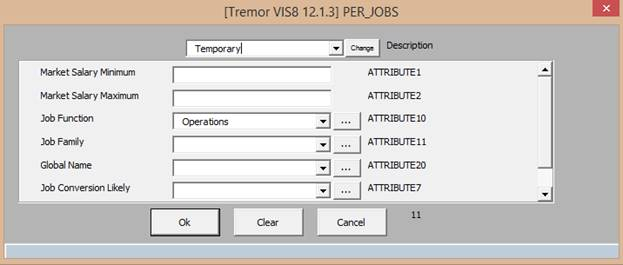
When double-clicking on any of the attribute fields, the DFF data entry form will appear similar to the example below where all DFF fields are in the same form:
Note- A disabled field indicates the DFF column is missing from the Worksheet.