Selected Sections
The template Administrator who has access to manage Templates can modify section visibility in the layout.
Pre Update Wizard Layout:
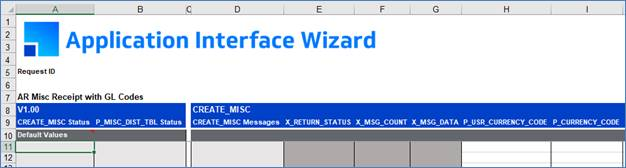
Select ‘Modify’ in the Action field, then the ‘Template Name’ in the ‘Manage Templates’ form.
Select the ‘Selected Sections' tab.
By default, all sections are selected in the Template.
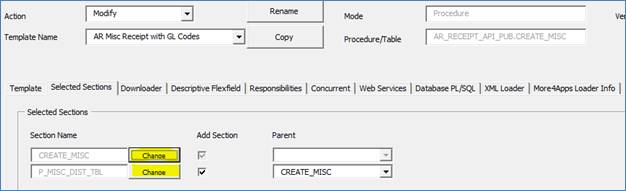
An Administrator can deselect any section(s) that are not required by the Wizard. If a section is deselected, no columns in the section will be generated in the worksheet.
Using the 'Add Section' checkboxes, deselect the section flag(s) that are not required if appropriate.

Click ‘Save To Repository’ to save the changes.
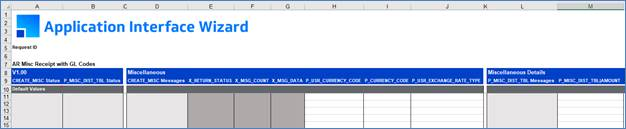
The new look of the template sheet will be like below after deselecting the section, in which, the “Products” and “By-products” sections are excluded.
Refer to section: